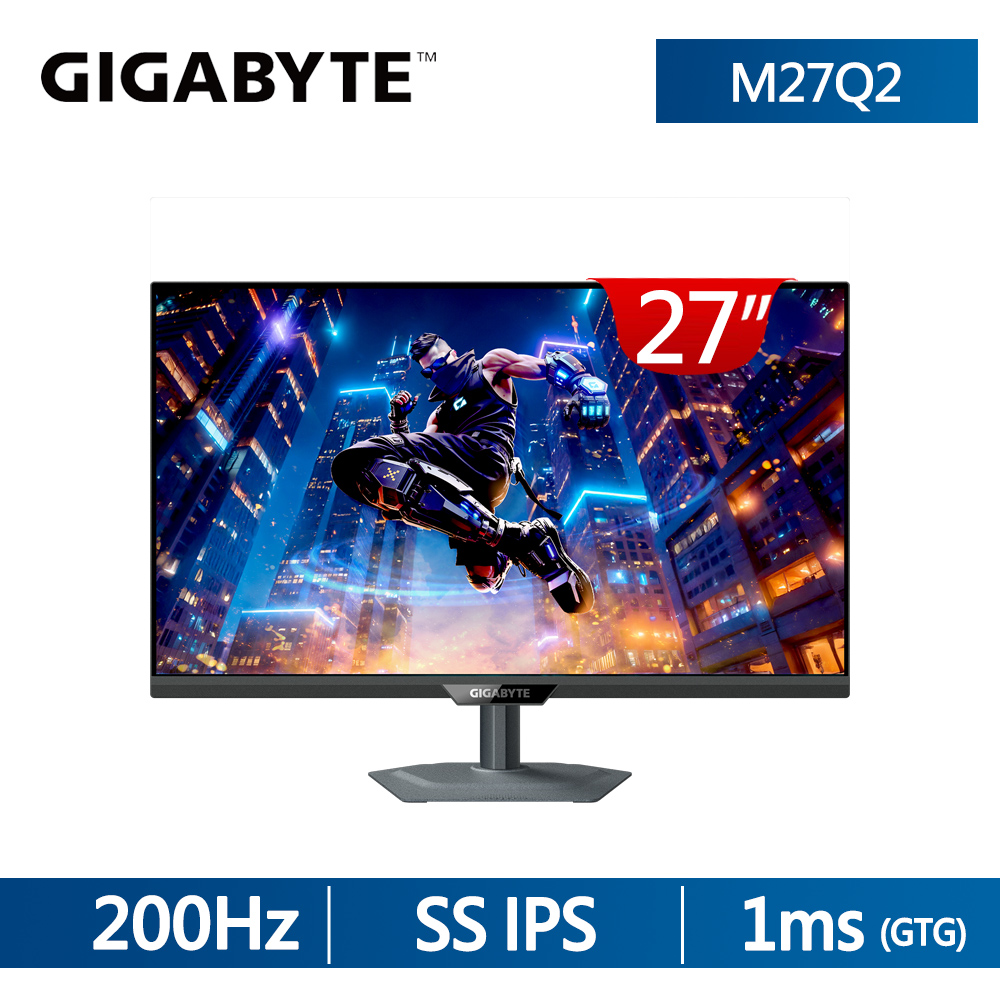
競新資訊SOEASY電腦|技嘉 M27Q2 QD(2H1P1C/量子點/200Hz/HDR400)可升降旋轉顯示器
技嘉 M27Q2 QD(2H1P1C/量子點/200Hz/HDR400)可升降旋轉顯示器
分期試算
6 期 - 每月 1217 元
9 期 - 每月 827 元
12 期 - 每月 632 元
18 期 - 每月 437 元
24 期 - 每月 335 元
36 期 - 每月 229 元
6990

✦ 量子點技術呈現接近 OLED 水準的鮮豔色彩,覆蓋 99% DCI-P3 色域
✦ 原生刷新率為 200 Hz,可透過 OC 超頻至 210 Hz
✦ 具備多種為遊戲設計的功能

-+


M27Q2 QD Gaming MonitorMIGHTY PERFORMANCEMATCHLESS GAMEPLAY!QHD 200Hz-P3(OC 210Hz)99% DCI-P3, 150% sRGB量子點技術DisplayHDR 400IPSSUPER SPEED1 ms (GTG)G-SYNCG-Sync CompatibleKVM戰術四側散熱Visual Experience

Blue LED 量子點技術Display搭載量子點技術的M27Q2 QD實現同於OLED 的寬廣色域與飽和色彩兼具穩定性與耐用性,打造全方位色彩體驗。VESA DisplayHDR 400 P3IGIGABYTE Last GenIPS % -P3  ,GIGABYTE OLED99% DCI-P3/99% Adobe RGB/150%sRGB擁有10.7億色彩與99% DCI-P3廣色域,色彩覆蓋更全面,呈現更真實的細節。1ms GTG Response Time

ON43搭載SuperSpeed快速液晶IPS面板反應時間可大幅縮短至1毫秒!ONG-SYNCOFF支援 G-SYNC Compatible,有效減少撕裂與延遲,畫面更穩定流暢,全面發揮次世代顯卡效能。GAMING FEATURES戰術 2.0智慧  Aim Stabilizer SyncNight VisionGame Assist專為 FPS 玩家打造,多重解析切換,一鍵調整,一制勝。戰術開關 2.0 智慧 Aim Stabilizer SyncNight VisionGame AssistOFF智慧 OD 智能偵測畫面刷新率「即時調整最佳的過衝強度」,自動調整過衝強度,有效減少殘影與反白,讓畫面更

46 清晰。戰術 2.0智慧 Aim Stabilizer SyncNight VisionGame Assist46ONOFF消除殘影瞬間出擊戰術 2.0智慧 Aim Stabilizer SyncNight VisionGame AssistEagle EyeNight Vision幫助你在低光環境下看見更多細節,在不使整個螢幕過亮的情況下,發現隱藏在最深陰影中的敵人。戰術開關 2.0智慧 Aim Stabilizer SyncNight Vision Game Assist可以增強你滿滿的電競力,不論是客製化射擊準心,定時

One For AllKVM功能讓您能使用一組螢幕、鍵盤、滑鼠即可控制所有設備。而技嘉獨有KVM按鍵除了讓您在設備間秒切秒换、又可同時充電,完全顛覆您對KVM功能的既定印象!ONOFF器/倒數計時器,子母畫面, HDR 模式等,任何想要的功能,都可在這邊找到!TIMERCROSSHAIRSPIP/PBP四側通風高效散熱四邊通風散熱,改善高頻模式下的溫度,確保螢幕在長時間高效運行時依然穩定、低溫、耐用護眼技術搭載通過TÜV Rheinland 認證的防閃頻與低藍光技術,有效減少螢幕閃爍,降低眼睛疲勞與傷害;同時濾除有害藍光,在維持色彩清晰度的前提下,有效守護長時間用眼健康。Ergonomic Design完美視角的呈現GIGABYTE Gaming系列採用獨家設計腳座,符合人體工程學設計,提供各種高度、傾斜度多重調節,讓您獲得最舒適的觀看品質!

Height Adjustment 130mmTilt: 5金屬支架和 2mm 超薄底座Monitor  port illustrationM27Q2 QD 具有 US-C Smart PD 模式,可提供 18W 電力 (動態65W)  LIFEGIGABYTEHDMI 21 HDMI 2.1 USB Type-C USB USB USB EarphoneUSB Type-B JackAll of the images on this page are for illustration purposes only and not an exact representation of the product.

Panel Size diagonalSPEC27 SS IPSDisplay iewing Area ()596.968  335.232 mmPanel Backlight TypeEdgeDisplay Surface(non-glare/ glare) Non-glareColor SaturationTrue Resolution99% DCI-P3/ 150%2560  1440(QHD)Piel PitchBrightnessContrast Ratio0.2328(H)  0.2328(V) mm350 cd/m2(TYP)1000:1Viewing Angle178(H)/178(V)1.07BDisplay ColorsResponse Time1ms GTGRefresh RateHDRFlicker-free200Hz/ OC 210HzVESA Display HDR400YesConnectivity2  HDMI 2.11  Displayport 1.41  USB Type-C (Alternate Mode; Upstream port; PowerDelivery up to 18W)2  USB 3.2 Downstream ports1 x USB 3.2 Upstream port1 x Earphone JackPower Board Build-inPower TypePower Consumption

Pwer Saving Mode05WPower Off Mode03WAC 100240V  50/60HzVoltageTiltangle)Swivel(angle)Pivot(angle/direction)Height Adjustment (mm)VESA Wall Mounting (mm)Kensington lockPhys Dimension with15 (clockwise)130 mm100100 mmYes612515192 mmStand()Phys. Dimension w/o stand61237159 mm()Box Dimension ()800480169 mmNet Weight with stand (Esti.)5.91 kgNet Weight without stand (Esti.)4.3 kgGross Weight (Esti.)8.19 kgAccessoriesNoteHIGH-DEFINITION MULTIMEDIA INTERFACEPower cable/DP cable/USB cable/QSG/Warranty cardTo enable OSD Sidekick, it requires connection between PC andmonitor with USB (A-Male to B-Male) cable.The test condition follows CEC standards. The terms HDMI, HDMI High-Definition Multimedia Interface, HDMI Trade dress and the HDMI Logos aretrademarks or registered trademarks of HDMI Licensing Administrator, Inc. The entire materials provided herein are for reference only. GIGABYTE reserves the right to modify or revise thecontent at anytime without prior notice. Advertised performance is based on maximum theoretical interface values from respective Chipset vendors ororganization who defined the interface specification. Actual performance may vary by system configuration.* All trademarks and logos are the properties of their respective holders.* Due to standard PC architecture, a certain amount of memory is reserved for system usage and therefore theactual memory size is less than the stated amount.

LINE 客服
